How To Clean Samsung Washing Machine Top Loader Filter
How To Clean Samsung Washing Machine Top Loader Filter: The No-Nonsense Guide
Look, let’s cut the crap. Your Samsung top loader is probably gunked up. Dirty filters? They kill performance. They stink. They cost you money in wasted water and power. Honestly, ignoring this is just dumb. This is your no-excuses guide on How To Clean Samsung Washing Machine Top Loader Filter. No fluff, just facts. Get it done.
My old Whirlpool? It ate socks. The filter was a disaster zone. Took me an hour to find the damn thing. Samsung’s usually more straightforward, but people still mess it up. The thing is, a clean filter means cleaner clothes. It means a longer-lasting machine. It’s that simple. You paid good money for that washer; stop treating it like a garbage can.
We’re talking about the inlet valve filters and the drain pump filter. Samsung top loaders have ’em. If you don’t clean ’em, you get slow fills, error codes, and a machine that sounds like it’s gargling rocks. Trust me, I’ve heard it all. This guide cuts through the BS.
Why Bother Cleaning the Filter? Seriously.

Simple. Your machine needs clean water. It needs to drain properly. Clogged filters block that. It’s like trying to drink through a straw clogged with peanut butter. Pointless and gross.
A dirty filter means:
- Slow fill times: Aoying as hell.
- Poor rinsing: Your clothes will be covered in soap scum. Lovely.
- Drainage problems: Water left in the tub? Yeah, that’s your fault.
- Machine damage: Overworked pump. Fried motor. Expensive repairs.
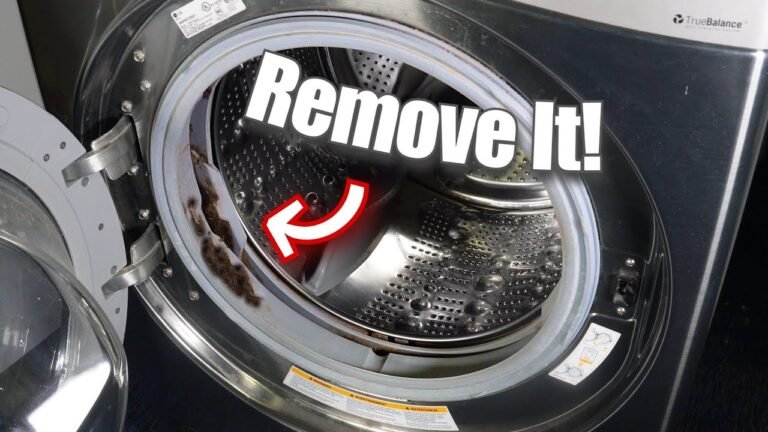
- Bad smells: Stagnant water and lint stink. Your laundry room becomes a biohazard.
I saw a guy once whose washer flooded his basement because the drain pump filter was packed solid with lint and a rogue bra strap. Cost him $5,000 in water damage. All because he wouldn’t spend 15 minutes cleaning a filter. Don’t be that guy.
Locating Your Samsung Top Loader’s Filters: The Hunt Begins
This ain’t rocket science, but it ain’t obvious either. Samsung hides these things. Partly to make you call a repairman, probably. Partly because, well, that’s just how they design it.
The Inlet Valve Filters: Where Water Enters
These are the gatekeepers. They stop sediment from your pipes messing with the water inlet valves. You’ve got two. Hot and cold. You’ll find them right where the hoses coect to the back of the washer.
Steps to find and access them:
- Unplug the damn machine. Seriously. Electrocution is not a good look.
- Turn off the water supply. Find those knobs behind the washer. Twist ’em clockwise. All the way.
- Discoect the hoses. You’ll need pliers or a wrench. Have a towel ready. Some water’s goa spill.
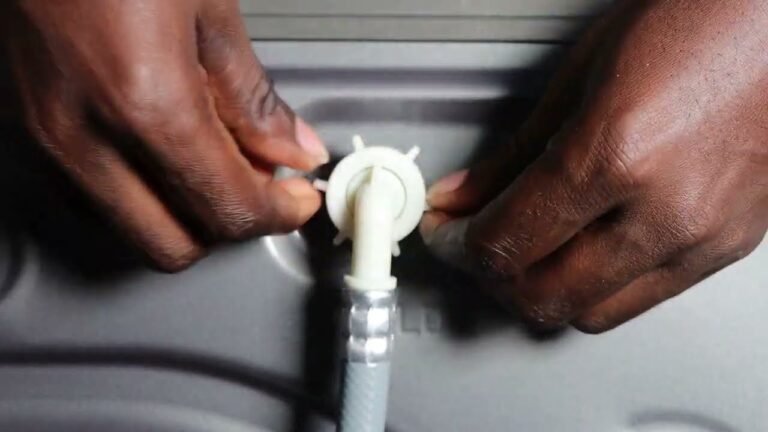
- Look inside the hose coections on the washer. You’ll see little mesh screens. Those are your inlet filters. They look like tiny thimbles. Sometimes they’re stuck in there pretty good.
My neighbor’s Samsung washer wouldn’t fill. Turns out, her filters were completely blocked by calcium buildup. Looked like tiny white rocks. Took her a solid hour to get them out because she hadn’t touched ’em in years. Fifteen minutes of maintenance, hours of headaches averted.
The Drain Pump Filter: Where Dirty Water Exits
This guy is the bouncer for the exit. Catches the big stuff – lint clumps, coins, buttons, the occasional lost earring. It’s usually behind a little access panel at the bottom front of the machine. Sometimes it’s hidden under a kick plate. You might need a flathead screwdriver to pry it open. Check your manual if you’re lost. It’s probably the WF45R6200AW model or something similar.
Accessing the drain filter usually involves:
- Again: Unplug it. Safety first, idiot.
- Locate the panel. Bottom front. Might be a small square door.
- Open the panel. Might need a screwdriver. Be gentle.
- See the filter? It’s usually a round cap. You’ll need a towel. A shallow pan too. A lot of dirty water is about to come out. Maybe a gallon. Be ready.
Step-by-Step: Cleaning the Inlet Valve Filters
This is the easy part. If you can turn a knob, you can do this. Don’t overthink it.
What you need:
- Pliers or adjustable wrench
- Old towel
- Small brush (like an old toothbrush)
- Vinegar or a mild descaler (optional)
The Drill:
- Discoect hoses (already done, right?).
- Carefully pull out the filters. Use needle-nose pliers if they’re stuck. Wiggle ’em gently. Don’t force it and break the valve.
- Rinse them under ruing water. Get all the visible gunk off.
- Scrub if necessary. Use your toothbrush. For tough buildup (mineral deposits), soak ’em in vinegar for 30 minutes. Then scrub again.
- Inspect the valve openings. Make sure nothing’s lodged in there.
- Put the clean filters back. Push ’em in firmly.
- Recoect hoses. Tighten ’em up, but don’t strip the threads.
- Turn water back on. Check for leaks.
- Plug the machine back in.
This whole job takes like, 10 minutes. Tops. Do this every six months. Your machine will thank you.
Step-by-Step: Cleaning the Drain Pump Filter
This one’s messier. But crucial. A clogged drain pump filter is a prime suspect for ‘ND’ or ‘5E’ error codes on Samsung machines. Ask me how I know.
Watch: Samsung Top Load Washing Machine: How to Clean Magic …
What you need:
- Towels. Lots of towels.
- Shallow pan or tray (at least 1-gallon capacity)
- Flathead screwdriver (maybe)
- Pliers (maybe)
- Old toothbrush or small brush
Watch: Cleaning the Drain Filter | Samsung US
The Messy Part:
- Ensure the machine is unplugged and off. No shortcuts.
- Open the access panel. Use your screwdriver if needed.
- Place your pan under the filter cap. Get it centered. Seriously, prepare for a tidal wave.
- Slowly unscrew the filter cap. Turn it counter-clockwise. Water will start draining. Let it flow into the pan. Keep unscrewing until the water stops. This can take a few minutes. If the pan fills up, quickly screw the cap back on, empty the pan, and start again.
- Once drained, fully remove the filter cap. Pull it straight out.
- Clean the filter. Remove all lint, coins, hairpins, whatever else is in there. Rinse it thoroughly. Use your brush if needed. A blast of water is good.
- Inspect the filter housing. Reach inside the opening (carefully!). Feel around for any debris. Sometimes small items get past the filter. You might need pliers to grab anything stubborn.
- Screw the filter cap back in. Make sure it’s tight. Hand-tight is usually enough, but ensure it’s snug to prevent leaks.
- Close the access panel.
This is the part where people freak out about the water. Just breathe. Have towels. You’ll manage. This takes maybe 10-20 minutes depending on how disgusting it is. Do this every 3-6 months. Or if you notice slow draining or error codes.
Maintenance Schedule: Don’t Be Lazy
Consistency is key. Here’s a simple plan:
| Task | Frequency | Notes |
|---|---|---|
| Clean Inlet Valve Filters | Every 6 Months | Check for sediment, calcium buildup. |
| Clean Drain Pump Filter | Every 3-6 Months | More often if you have pets or wash heavily soiled items. Essential if you see error codes. |
| Run Tub Clean Cycle | Monthly | Use Samsung’s ‘Eco Tub Clean’ or a similar cycle with hot water. Cleans the drum, not the filters. |
This schedule prevents most problems. It takes minimal effort. Compare that to the cost of a service call. A single service call could easily run $150-$300. Repairs? Thousands. Cleaning filters is free labor. Free!
Common Problems and Troubleshooting
What happens when things go wrong? Usually, it’s because filters are clogged.
Washer Not Filling Properly

Cause: Clogged inlet valve filters. Water pressure issues. Kinked hoses.
Fix: Clean inlet filters first. Check hoses. Check your home’s water pressure.
Washer Not Draining
Cause: Clogged drain pump filter. Kinked drain hose. Clogged house plumbing.
Fix: Clean the drain pump filter. Straighten the drain hose. If the problem persists, it might be your house pipes. Call a plumber, not just a washer guy.
Error Codes (e.g., 5E, ND)
Cause: Usually drainage related. Most often, a packed drain pump filter.
Fix: IMMEDIATE drain pump filter cleaning. Seriously, do it now. If that doesn’t fix it, check the drain hose for kinks or blockages.
Strange Noises During Spin/Drain
Cause: Foreign objects stuck in the pump or tub. Could be debris that got past the filter, or something fell in directly.
Fix: Clean the drain pump filter thoroughly. Check the tub for objects. You might need to pull the machine out and check the pump housing itself. Sometimes, you just gotta disassemble.
My sister’s Samsung top loader started making a grinding noise. Sounded like gravel in a blender. Turned out, a stray button from kids’ clothes had made it past the drain filter and was jamming the pump impeller. Simple fix once we found it, but the noise was terrifying.
Don’t Forget the Tub Clean Cycle!
Watch: How to Clean Your Samsung Washing Machine Filter
Watch: How to Clean Your Samsung Washing Machine Filter
Samsung machines have a built-in ‘Eco Tub Clean’ cycle. Use it. Monthly is good. It uses hot water to flush out detergent buildup and gunk from the inside of the tub and hoses. It’s not a filter cleaner, but it keeps the whole system cleaner. Think of it as a shower for your washer’s guts.
Just dump a washing machine cleaner tablet or some bleach/vinegar in the drum (check your manual for specifics!), select the cycle, and let it run. Easy peasy.
When to Call a Professional (and When Not To)
Look, you can handle the filters. That’s DIY 101. If you’ve cleaned the filters and checked the hoses and you still have problems, then maybe it’s time to call someone.
Call a pro if:
- You can’t access or remove the filters.
- You suspect internal damage (leaking seals, broken pump, fried motor).
- You’ve done all the filter cleaning and basic checks, and the problem persists.
- You’re just too damn scared to touch your washing machine. (Seriously?)
But honestly? Most ‘broken’ washing machines just need their filters cleaned. People are lazy. They’re scared. They’d rather pay a guy $200 than spend 20 minutes with a screwdriver and a towel. Don’t be that person. Save your money. Fix it yourself.
Frequently Asked Questions
How do I clean my top loader Samsung washer?
You clean it by regularly cleaning the inlet valve filters located where the water hoses coect to the back of the machine, and by cleaning the drain pump filter, usually found behind a small access panel at the bottom front of the washer. Use the ‘Eco Tub Clean’ cycle monthly as well.
Where is the filter in a Samsung top load washer?
There are two types: Inlet valve filters are inside the hose coections at the back. The drain pump filter is typically behind a small door or kick plate at the bottom front of the machine.
How often should I clean my Samsung washing machine filter?
Clean the inlet valve filters every six months. Clean the drain pump filter every three to six months, or immediately if you notice slow draining or error codes like 5E or ND.
My Samsung washer has an error code. What should I do?
Most common error codes like 5E or ND indicate a drainage issue. Your first step should ALWAYS be to unplug the machine and clean out the drain pump filter. Check your user manual for the specific error code meaning, but the filter is the most likely culprit.
Can I use bleach to clean my washing machine filter?
Bleach is generally used for the tub clean cycle, not directly on the small mesh filters themselves. For the inlet and drain pump filters, rinsing with water and scrubbing with a brush is best. Harsh chemicals can degrade the filter material. Always check your washer’s manual before using cleaning agents.