How To Clean Opal Ice Machine
Don’t Let Your Opal Ice Machine Turn into a Biohazard. A Real Guide on How To Clean Opal Ice Machine.
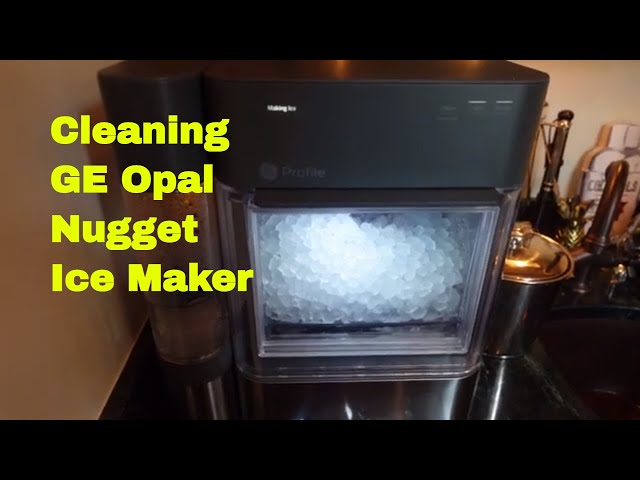
Look, nobody buys a GE Profile Opal for a science experiment. You want crisp, delicious nugget ice. Not some slimy, moldy mess. The thing is, these machines are humid environments. Perfect breeding grounds for bacteria, mold, and that nasty film. If you’re wondering how to clean Opal ice machine, you’ve come to the right place. Forget the fluff. We’re getting down and dirty.
Honestly, most people wait too long. They notice the ice tastes fuy, or it’s not coming out right. By then, it’s a full-blown operation. A little preventative maintenance goes a long way. We’re talking about saving yourself a headache and, more importantly, your health. This ain’t rocket science, but it needs doing. Properly.
I remember my first Opal. Bought it in 2020. Cost me a good chunk of change, maybe $400. Used it like crazy. Didn’t clean it for, maybe, six months. Big mistake. Huge. The ice started tasting like… old gym socks. Seriously. Had to do a deep clean that involved me scrubbing like a maniac. Learned my lesson. That’s why I’m here to make sure you don’t make the same dumb mistake.

Why Bother Cleaning Your Opal? It’s Not Just About Taste.
Taste is number one, sure. Nobody wants funky ice. But it’s deeper than that. Your machine circulates water. If that water is harboring bacteria, you’re literally serving that nastiness in your drinks. Think about it. Your kids, your guests… you. You’re drinking that.
Then there’s the machine itself. Mineral buildup. Limescale. It chokes the water lines, clogs the pump, and can even damage the heating element. Repairs? Expensive. Preventable? Absolutely. A clean machine runs better, lasts longer, and makes ice faster. Simple economics, really.
Here’s a quick breakdown of the gunk you’re fighting:
Common Opal Ice Machine Grime:
- Bacteria and Mold: Slimy films, often visible, smell bad, and can make you sick.
- Mineral Deposits (Limescale): White, chalky buildup from hard water.
- Algae: Less common but happens in stagnant water.
- General Dust and Debris: From the air, especially if you don’t use the rear filter.
GE Opal Cleaning Schedule: When to Do What
This ain’t a one-and-done deal. Consistency is key. Treat it like brushing your teeth. Daily, weekly, monthly. Sounds like a lot? It’s not. Takes minutes. Seriously.
Here’s a battle plan. Stick to it. Your future self will thank you.
Daily Check-in (Takes 30 Seconds)
Empty the ice bin. Scrape out any ice clinging to the sides. Give it a quick rinse if you’re feeling fancy. Check for any obvious slime or discoloration. If you see it, deal with it now, not later.
Weekly Wipe-Down (Takes 5 Minutes)
This is where we get serious. Unplug the machine. Always. Safety first, moron. Remove the ice bin and the drip tray. Wash them with hot, soapy water. Rinse thoroughly. Dry them completely before putting them back. Nobody wants water spots. Or worse, mold.
Wipe down the exterior with a damp cloth. Use a mild detergent if it’s really grimy. Dry it off. Don’t let water sit on the stainless steel. It’ll stain.
Monthly Deep Clean & Descale (Takes 30-60 Minutes)
This is the big one. The real deal. This is how you prevent total machine failure. You’ll need cleaning solution and descaling solution. We’ll get to that.
Step-by-Step Guide: How To Clean Opal Ice Machine Like a Pro
Alright, let’s get our hands dirty. Grab your cleaning supplies. You’ll need:
- Mild dish soap
- Soft cloths or sponges
- GE Opal Cleaning Solution (or a homemade alternative)
- GE Opal Descaling Solution (or a homemade alternative)
- A small brush (like an old toothbrush)
Step 1: Preparation is Key
UNPLUG THE MACHINE. I can’t stress this enough. Seriously. Don’t get electrocuted over ice. Dump all existing ice. Remove the ice bin, the drip tray, and the scoop. Set them aside. You’ll wash these separately.
My buddy Dave, bless his heart, tried cleaning his while it was plugged in. Sparks flew. Smelled like burnt plastic. Nearly took out his whole kitchen circuit. Don’t be Dave. Unplug it.
Step 2: Wash Removable Parts
Take the ice bin, drip tray, and scoop. Wash them thoroughly with hot, soapy water. Use a soft sponge. Get into all the nooks and craies. Rinse them well. Let them air dry completely. Or dry them with a clean towel. Moisture breeds mold, remember?
Step 3: Clean the Interior Water Reservoir
This is crucial. Use a damp cloth with mild soap. Wipe down the inside walls of the water reservoir. Get any visible slime or buildup. Be gentle. Don’t scrub too hard and damage anything.
If you have stubborn spots, use that small brush. An old toothbrush works wonders. Get into corners. Rinse the cloth and wipe again. You want it spotless.
Step 4: Sanitize the Reservoir
Now, let’s kill those germs. GE recommends their specific cleaning solution. It’s basically a diluted bleach solution, around 1 tablespoon of bleach per gallon of water. But check your manual. They change things.
Mix your cleaning solution. Pour about 2 cups into the reservoir. Let it sit for about 5-10 minutes. Then, drain it. You might need to run a quick ‘clean cycle’ if your model has one. Consult your manual for exact instructions. Rinse the reservoir thoroughly with clean water multiple times. You don’t want bleach residue. That’s bad.
Step 5: Descale the Machine
This is for the mineral buildup. Hard water is the enemy. GE sells a descaling solution. It’s usually citric acid-based. You can also use a 1:1 mixture of white vinegar and water, but GE warns this might void your warranty. To be fair, vinegar works, but their solution is probably formulated better. Let’s stick with the manufacturer’s recommendation if possible, especially if it’s under warranty. They cost about $15-20 for a small bottle, which lasts a few cycles.
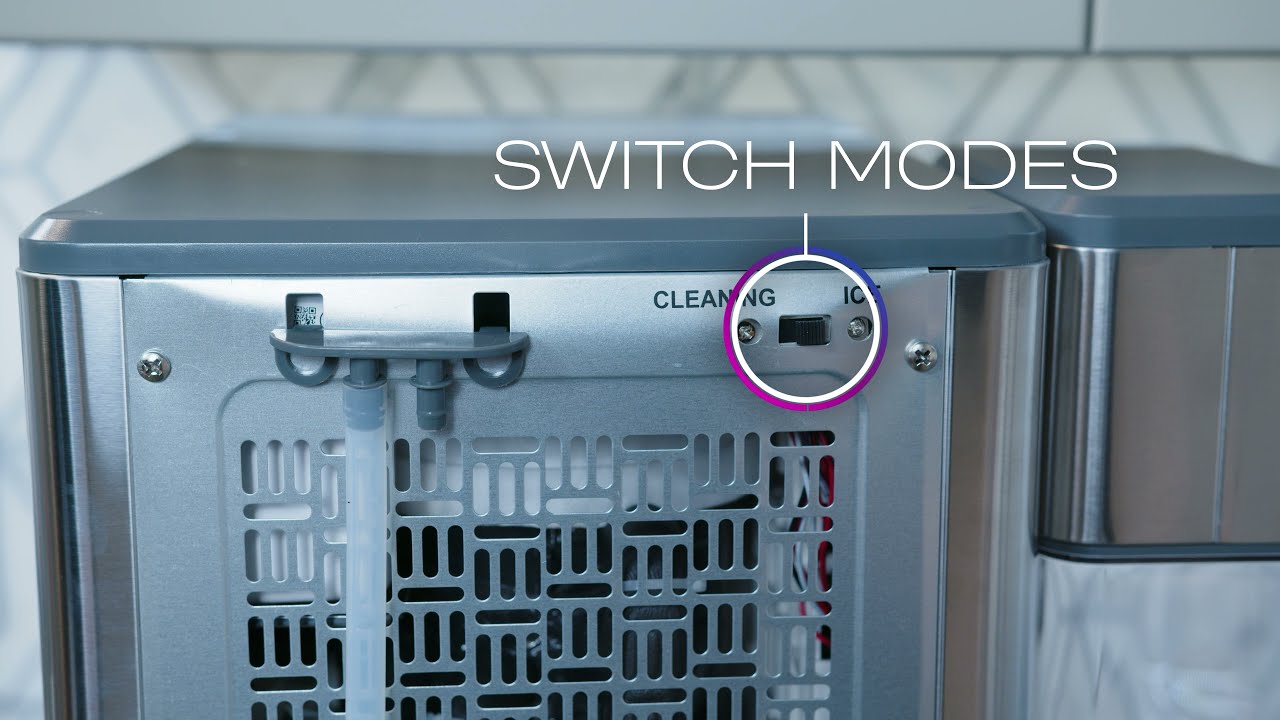
Here’s a general descaling process. Again, CHECK YOUR MANUAL. Models differ. Older ones might have a round button, newer ones might not. The process is similar but button placement varies.
| Step | Action | Notes |
|---|---|---|
| 1 | Prepare Descaling Solution | Mix GE Descaler with water as instructed, OR use 1:1 white vinegar and water (at your own risk). |
| 2 | Fill Reservoir | Pour the solution into the main water reservoir. |
| 3 | Run Clean Cycle | Follow your model’s specific instructions to initiate the clean/descale cycle. This often involves pressing a button sequence. |
| 4 | Wait | Let the machine run through its cycle. It will circulate the solution. |
| 5 | Drain and Rinse | Once the cycle is complete, discard the solution. Rinse the reservoir thoroughly with fresh water multiple times. |
| 6 | Final Rinse Cycle | Fill with fresh water and run a normal ice-making cycle or a rinse cycle to remove any residual solution. |
The whole process can take up to an hour. Don’t rush it. Let the solution do its work. It breaks down the stubborn mineral deposits that cause clogs and poor performance.
Step 6: Clean the Sensors
Some Opal models have sensors that detect water levels or ice fullness. These can get gummed up. Gently wipe them with a damp cloth. Don’t use harsh chemicals. A little alcohol wipe might be okay, but check your manual first. A clean sensor means a happy, functioning machine.
Step 7: Clean the Exterior Filter (Opal 2.0 Ultra Models Only)
If you have the Opal 2.0 Ultra, there’s a rear filter. This thing catches dust and debris from the air. It’s important. Gently pull it out. Tap it clean. If it’s really grimy, you can rinse it under cool water. Let it air dry completely before reinserting. This prevents dust from getting into your machine and contaminating your ice.
Step 8: Reassemble and Run a Test Cycle
Put everything back together. Ice bin, drip tray, scoop. Fill the reservoir with fresh, clean water. Plug the machine back in. Run a full ice-making cycle. Dump that first batch of ice. It’s just a rinse. Now, you’re golden. Fresh, clean ice awaits.
Troubleshooting Common Opal Ice Machine Issues
Even with regular cleaning, you might hit a snag. Here are some common problems and quick fixes:
Ice Not Forming or Slow Production
Check the basics: Is it plugged in? Is there water? Is the ambient temperature too high (above 70°F)?
Deep clean: If it’s been a while, scale buildup is likely the culprit. Follow the descaling steps religiously.
Sensors: Dirty sensors can fool the machine into thinking it’s full or empty. Clean them.
Ice Tastes or Smells Bad
Biofilm: This is bacteria. You need to sanitize. Use the cleaning solution (diluted bleach) or a commercial sanitizer. Repeat if necessary.
Dirty Reservoir: Make sure you’re thoroughly washing the reservoir and all removable parts weekly.
Stale Ice: Don’t let ice sit in the bin for days. Dump and replace if it’s been there too long.
Water Leaks
Check seals: Ensure the water tank is seated correctly. Check for cracks in the tank or tubing.
Overfilling: Don’t fill the reservoir past the MAX line.
Internal Clog: Severe scale buildup can sometimes cause pressure issues leading to leaks. Descale!
Frequently Asked Questions
How do you clean the inside of an opal ice maker?
You clean the inside by first unplugging the machine. Remove all accessories. Wash the ice bin, drip tray, and scoop with hot, soapy water. Wipe down the interior reservoir with a damp, soapy cloth. Then, run a sanitizing cycle using GE’s cleaning solution (or diluted bleach per manual) and a descaling cycle using GE’s descaler or vinegar. Rinse thoroughly multiple times.
Can I run vinegar through my nugget ice maker?
Yes, you can run white vinegar (typically a 1:1 mixture with water) through your GE Profile Opal ice maker to descale it. However, GE explicitly states that using vinegar may void your warranty. They recommend using their specifically formulated descaling solution to avoid potential damage and maintain warranty coverage. Use vinegar at your own risk.
How often should you clean the Opal ice maker?
You should perform a weekly wipe-down of removable parts and the exterior. A full deep clean and descaling cycle should be done at least once a month, or more frequently if you have hard water or notice any issues with taste, smell, or performance. Daily checks are recommended to catch problems early.
What is the best cleaning solution for a GE Opal ice maker?
GE recommends using their specifically formulated Opal Cleaning Solution for sanitizing and their Opal Descaling Solution for removing mineral buildup. These are designed to be effective and safe for the machine, and using them helps maintain your warranty. If you must DIY, diluted bleach (1 tbsp per gallon water) is a common sanitizer, and a 1:1 vinegar/water mix is a common descaler, but use with caution regarding warranty.
My Opal ice maker is making weird noises. What’s wrong?
Weird noises are usually a sign of scale buildup or a potential clog. The pump might be struggling to push water through mineral deposits. Run a thorough descaling cycle. Also, check that the water reservoir is filled correctly and that no parts are loose or obstructed. If the noise persists after descaling and cleaning, it could indicate a more serious mechanical issue requiring professional attention.
Watch: GE Profile Opal Cleaning & Care